
In this tutorial we’ll learn how to add / update sku of all products in woocommerce .
For this, I’ve created some products without skus.
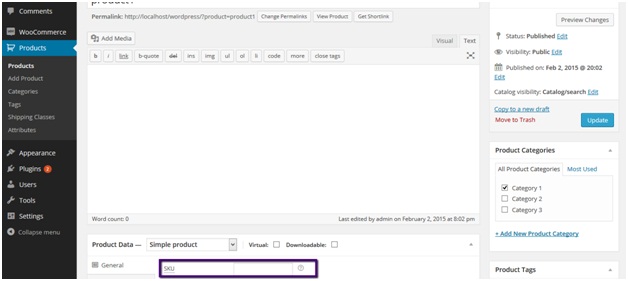
Now I want to add / update sku to all product in my woocommerce store.
To do this add the following lines of code at the end of your theme’s function.php file.
add_filter( 'init', 'update_sku', 10, 1);


   function update_sku( $sku ){


       $args = array(

               'post_type' => 'product',

              'posts_per_page' => 12

               );

       $i=0;

       $loop = new WP_Query( $args );


       if ( $loop->have_posts() ) {

           while ( $loop->have_posts() ) : $loop->the_post();


               $random_sku = mt_rand(100000, 999999);


               update_post_meta($loop->post->ID,'_sku',$random_sku);


               $i++;

           endwhile;

       } else {

           echo __( 'No products found' );

       }

       wp_reset_postdata();

   }
You can access functions.php file here:
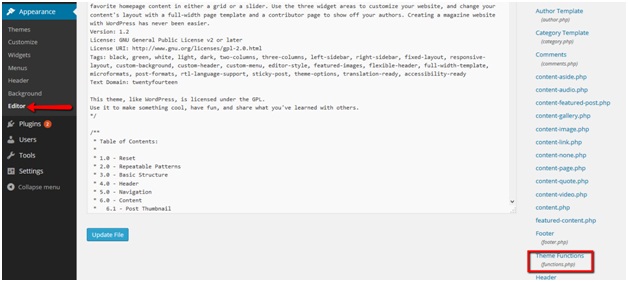
Place the code and save file.
Now go to/refresh your store front just once and you’ll notice the product’s sku has been updated/added.
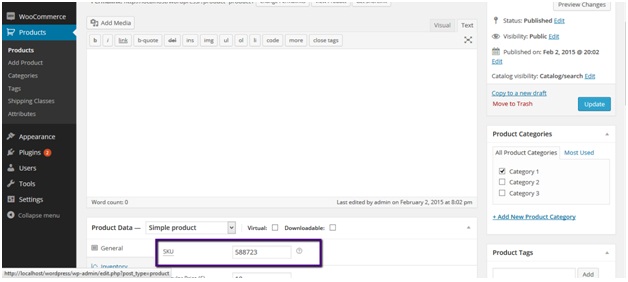
Remove the code from file after your store’s sku being updated.
NOTE : If you don’t remove after one use, products SKU will change everytime you visit any page of your site.