
For agencies delivering WooCommerce under their brand. From a team specialized in WordPress.
White Label WooCommerce Development for Agencies
You sold the WooCommerce project. Now what?
We build, extend, and rescue WooCommerce stores under your agency’s brand — so you can say yes to ecommerce work without hiring, subcontracting freelancer roulette, or losing sleep over an inherited codebase. WordPress and WooCommerce are our specialty, not one service among many.
Between the fragility of one freelancer and the overhead of a full-time hire — we’re the third option.
A developer reviews your brief within one business day. You’ll get scope questions, risk flags, and a first estimate — not a sales pitch.
Why agencies pick us over other white-label options.
There are dozens of white-label WooCommerce agencies. Here’s what makes agencies choose us — and stick around. Every point below is something you can verify publicly before you send us a brief.
Six honest reasons.
WordPress and WooCommerce are our specialty — not one line item on a mile-long service menu.
We’re not a generalist agency spreading thin across every platform and calling it full-service. WordPress and WooCommerce are the stack we’ve gone deepest on — 12 years of pattern recognition, edge cases, and hard-won production experience. When a subtle WooCommerce bug surfaces on your project, we’ve probably seen it before, because it’s the stack we build the deepest expertise around. That focus is verifiable: our Clutch profile shows 100% WordPress CMS focus on our development work.
Six published WooCommerce plugins with 9,000+ combined installs.
Most white-label agencies talk about WooCommerce expertise. We’ve shipped it publicly. Six free plugins live on WordPress.org, running on 9,000+ WooCommerce stores worldwide — including the flagship Remove Add to Cart plugin (4,000+ installs), Custom WooCommerce Checkout Fields Editor (2,000+), and Widgets for WooCommerce Products on Elementor (3,000+). That’s WooCommerce code you can inspect before you hire us — a level of public accountability our competitors don’t offer.
A named founder, not an anonymous vendor pool.
Every email to waqas@themelocation.com goes to the founder. Every NDA is with a named business led by a named person. If a project goes sideways, you have someone specific to hold accountable — not a rotating support desk. Most competitor sites in this space don’t name a founder or leadership team.
5.0 across 12 verified Clutch reviews.
Not “we work with hundreds of agencies” (unverifiable). Twelve real reviews on Clutch, publicly readable, each with the reviewing agency’s name, location, and industry. Read them before you contact us. Countries represented: US, UK, Australia, France, Spain, Canada.
A first-project guarantee we actually stand behind.
We don’t close your first project until you approve it. If revisions don’t get it to your standard, you don’t pay for it. This is the guarantee competitors either don’t offer or bury in terms nobody reads.
12 years of pattern recognition on the same stack.
Since 2013. Not “the company started in 2013 but pivoted through three business models” — 12 continuous years of WordPress and WooCommerce for agencies. That’s a lot of edge cases, HPOS migrations, checkout bugs, and Black Friday emergencies you can benefit from.
Every one of these is verifiable in under 60 seconds. That’s the entire point.
The four situations that usually bring agencies to us.
WordPress and WooCommerce are our specialty — for 12 years, this is the stack we’ve built the deepest expertise around. When agencies bring us work, they’re not paying us to learn WooCommerce on their project. They’re paying for pattern recognition from stores just like theirs. Here’s what those conversations usually look like.
“We just won a WooCommerce project and my team is booked through Q3.”
Overflow delivery under your brand. We slot into your PM tool — Asana, Trello, ClickUp, Slack, Basecamp — pick up the brief, ship the build. Your client sees your agency. Your team keeps its focus. You keep the margin.
“Our agency does Webflow / Framer / general WordPress. Now a client wants ecommerce.”
Full-build delivery when WooCommerce isn’t your specialty. Instead of turning down the project, saying yes to a platform your team can’t maintain, or handing your client to a competitor — you send us the brief and we build under your brand.
“Something’s broken and the client is losing money right now.”
Rescue work. Checkout broken after an update. Subscription renewals silently failing. Migration lost half the products. Freelancer disappeared mid-project. We inherit the codebase, find the actual root cause, and ship the fix — usually within a week, sometimes within 48 hours if it’s revenue-blocking.
“We keep getting WooCommerce work but not enough to justify a hire.”
Ongoing capacity, no payroll. A monthly block of managed WooCommerce development hours you draw down as work comes in. Cheaper than a hire, more reliable than freelancer roulette, no recruiting cycle. If the pipeline dries up, you pause. If it explodes, we scale up.
Not sure which one fits? Send the brief. If the honest answer is “hire someone internally” or “this belongs on Shopify,” we’ll tell you. We’d rather lose the project than take one we can’t do well.
Four ways to add WooCommerce capacity. One is built for agency delivery.
Hiring internally gives you maximum control. A freelancer works for a contained task. A traditional outsourcing agency gives you substantial capacity with more overhead. ThemeLocation sits between the fragility of one freelancer and the fixed cost of a full-time hire — managed WooCommerce delivery under your agency’s brand, without permanent employees or freelancer roulette.
| What matters | ThemeLocationBest for agencies | In-house hire | Traditional white-label | Solo freelancer |
|---|---|---|---|---|
| Best suited for | Agencies needing recurring WooCommerce delivery under their own brand | Companies with predictable, permanent workload | Agencies wanting full outsourced account structure | Isolated, well-defined tasks |
| Starting cost | From $999/month* | ~$8,200/month base pay for a mid-level US developer, before benefits & recruitment† | Custom quotes; typically higher overhead | ~$20–$125/hour on Upwork‡ |
| Recruitment required | None | Every role, every time | None | Screening usually required |
| Time to add capacity | Brief reviewed within 1 business day; start depends on scope | 60–90 days for a US hire | Depends on onboarding & availability | Days, if the right person is free |
| WooCommerce expertise | Access to WordPress, plugin, integration & performance specialists | Limited to the person hired | Varies by provider | One person’s skill set |
| Project management | Included — you get a PM | You are the PM | Usually included | You are the PM |
| QA & launch process | Staging, defined QA, approval, launch | Your agency builds the process | Included; standards vary | Must be agreed separately |
| Capacity continuity | Reassignable when someone is out | Depends on team size | Usually has backup | One-person availability risk |
| White-label controls | NDA signed before work starts; brand & contact rules defined | Naturally internal | Usually available | Possible; must be arranged |
| Works in your tools | Asana, Trello, ClickUp, Slack, Basecamp | Yes | Depends | Depends |
| Public WooCommerce proof | 6 published plugins (9,000+ installs), verified 4,000+ product store | Depends on hire | Depends on agency | Depends on portfolio |
| First-project guarantee | We don’t close it until you approve it. If revisions don’t get it to your standard, you don’t pay for it. | N/A | Rare | No |
| Main tradeoff | Remote team — requires a clear brief and agreed workflow | Highest fixed cost, slowest to add or remove | More overhead, less direct developer access | Limited capacity & continuity |
*Starting monthly engagement includes a managed block of development capacity with technical oversight, project coordination, and QA. Full store builds and dedicated pods are quoted on scope.
†Source: US Bureau of Labor Statistics — mean annual wage for web developers is $98,770 before benefits, recruitment, equipment, and management overhead. ‡Source: Upwork WooCommerce developer rate data.
Which option is right for your agency?
Hire in-house when
you have enough predictable WooCommerce work to keep a permanent team busy for the next 12+ months, want every role under direct internal management, and can absorb ~$130,000+ in fully-loaded annual cost per developer.
Choose a freelancer when
the task is small, clearly defined, and can safely depend on one person’s availability. Isolated bug fixes, single-plugin work, a design tweak — a good freelancer is fine.
Choose a traditional white-label agency when
you need substantial ongoing outsourced capacity and prefer conventional account-management structure with dedicated pods, even if it costs more and puts more layers between you and the developer.
Choose ThemeLocation when
you need more than one freelancer can reliably handle, but not enough to justify building an internal ecommerce department. We give your agency managed WooCommerce capacity, technical specialists, and delivery continuity — while you keep the client, the relationship, and the margin.
WooCommerce isn’t always the right answer. Here’s how we decide.
Any agency partner who tells you WooCommerce is the best fit for every ecommerce client is trying to sell you WooCommerce. We’re not. WooCommerce is powerful for the right project and wrong for others. Here’s how we think about it before we quote.
We recommend WooCommerce when...
- Content and commerce need to live together. A brand selling through blog content, courses, resources, or SEO strategy benefits from WordPress + WooCommerce on one stack. Shopify’s blog is functional but treats content as secondary.
- The store needs custom business rules or checkout logic. B2B pricing tiers, quote-to-order flows, custom fulfillment rules, region-specific tax logic, non-standard product configurators. WooCommerce lets us build these directly. On Shopify, you’re stuck with app combinations or paying for Shopify Plus and Shopify Scripts.
- Full ownership matters. Regulated industries, EU privacy-sensitive markets, or clients who need to own their code, data, and hosting.
- WordPress is already the client’s core stack. Adding WooCommerce is the natural extension. Splitting to Shopify means running two systems.
- Complex integrations are on the roadmap. ERP, PIM, custom CRM, or headless architecture with a Next.js frontend. WooCommerce’s REST API and Store API make these achievable.
- Vendor lock-in is a real concern. WooCommerce is open source. The client can move to another host, another developer, another stack. Shopify is a walled garden.
- Transaction fees matter at scale. For high-volume stores, Shopify’s payment fees and app subscriptions accumulate fast. WooCommerce’s flat hosting cost wins the math past a certain volume.
We recommend Shopify when...
- The requirements are standard retail. Physical products, normal checkout, standard shipping. Shopify launches faster and runs more reliably.
- Speed to launch matters more than deep customization. Shopify can be live in three weeks. A custom WooCommerce build takes longer.
- The client wants zero infrastructure responsibility. No hosting, no plugin updates, no security patches. For clients without a dev partner, that’s worth paying for.
- Standard Shopify apps meet 80%+ of the needs. Building custom on WooCommerce when Shopify apps already solve it is expense without payoff.
- Point-of-sale is part of the operation. Shopify POS is genuinely strong. WooCommerce’s POS options are weaker.
- Rapid international expansion is on the roadmap. Shopify Markets handles multi-currency, multi-language, and international payment methods natively. WooCommerce gets there with extensions, but it’s more assembly.
We recommend BigCommerce when...
- Enterprise B2B is the core model. BigCommerce B2B Edition includes customer groups, quote management, price lists, and buyer roles natively — better than assembling on Shopify, comparable to a well-built WooCommerce + B2BKing stack but managed.
- Headless commerce is required at enterprise scale. BigCommerce’s API-first architecture and Stencil framework make enterprise headless implementations cleaner than Shopify’s.
- Multi-storefront under one backend is needed. Managing multiple brands or regional storefronts from one dashboard is native.
- The client wants SaaS but with more openness than Shopify. No transaction fees on external gateways. More native features without stacking 15 apps.
When to walk away entirely.
Sometimes the honest answer is none of these. Native mobile apps, complex vendor marketplaces at scale, or subscription businesses with massive concurrency may need dedicated platforms — Mirakl, Recharge, custom builds. We’ll tell you when.
Our job is to protect your client’s outcome, not force every project onto the platform we happen to build on. If WooCommerce is right, we build it. If it isn’t, we’ll say so — and refer you to someone we trust.
What we actually take off your plate.
We group WooCommerce work by what you’re trying to accomplish — not by which technology it uses. Most agencies come to us for one of these four jobs.
1. Launch a new WooCommerce store.
For agencies that just won ecommerce work and need someone to actually build it.
- Custom WooCommerce store builds from scratch
- Figma, Adobe XD, or Sketch → WooCommerce implementation
- Product catalog architecture (deep categorization, variations, custom taxonomies)
- Payment gateway setup — Stripe, PayPal, Authorize.Net, WooCommerce Payments, Afterpay, Zip, Klarna, Sezzle, Amazon Pay, Apple Pay, Google Pay
- Shipping and tax configuration (multi-region, real-time carrier rates, Avalara/TaxJar)
- Checkout customization (single-page, multi-step, custom fields, express checkout)
- Custom booking and reservation systems
- Membership and access-control functionality
- Multilingual and localization builds — WPML, Polylang
- CRM and ERP API integrations
2. Extend an existing store.
For agencies whose client’s WooCommerce store needs to do something Woo doesn’t do out of the box.
- Custom WooCommerce plugin development (HPOS-compatible from day one)
- WooCommerce Subscriptions, Bookings, Memberships implementations
- B2B and wholesale — Wholesale Suite, B2BKing, custom pricing rules, quote-to-order, approval workflows
- Product configurators — Product Add-Ons, Composite Products, custom variation logic
- LearnDash, Sensei, and course-commerce integrations
- Multi-vendor marketplaces — Dokan, WCFM
- Custom checkout fields and conditional checkout flows
- Advanced Coupons, dynamic pricing, bulk discount rules
- Custom product filtering and search
- Custom REST API endpoints for headless or mobile app integration
- Elementor + WooCommerce advanced integrations
- ACF-driven custom product data
3. Move or rescue a store.
For agencies handling a platform migration — or inheriting a store that’s on fire.
- Shopify → WooCommerce migration (products, customers, orders, subscriptions, redirects)
- Magento, BigCommerce, Wix, Squarespace → WooCommerce
- WooCommerce version upgrades (including HPOS migration on legacy stores)
- Broken checkout diagnosis and repair
- Failed subscription renewal recovery
- Post-update conflict resolution
- Performance rescue — Core Web Vitals, database bloat, slow admin, checkout timeout
- Security incident response (compromised store cleanup, hardening)
- Codebase audit and technical debt assessment before ongoing work
4. Maintain and scale.
For agencies who want to sell WooCommerce maintenance to their clients without staffing it.
- WordPress + WooCommerce core updates with staging + rollback
- Plugin and extension updates with compatibility testing
- Regression testing before every material release
- Uptime and background job monitoring (Action Scheduler health)
- Security hardening and monitoring
- Backup strategy and disaster recovery
- Performance tuning as catalog and traffic grow
- Monthly development retainers with predictable capacity
- White-labeled monthly reports your agency can send to end clients
What we actually check for on every WooCommerce project.
Most WooCommerce failures don’t happen at launch. They happen three weeks later when a payment succeeds but a callback is delayed, or six months later when an extension update breaks checkout, or during a Black Friday when the queue backs up and orders start disappearing. Here’s what we watch for — and why.
Pillar 1: Data integrity.
The risk
WooCommerce is quietly moving order data out of the WordPress posts table into dedicated High-Performance Order Storage (HPOS) tables. Any plugin still reading orders through get_post_meta() calls — a lot of older plugins do — will read stale data or overwrite valid data. We’ve seen agencies inherit stores where the HPOS migration silently corrupted three months of order metadata because one legacy plugin wasn’t caught.
Our practice
Every custom plugin we write uses WooCommerce’s CRUD data stores, not legacy WordPress functions. Every inherited store gets an HPOS compatibility audit before we touch it. Every migration reconciles product, customer, order, and subscription counts on both sides before cutover.
Pillar 2: Checkout reliability.
The risk
Payment succeeds. Callback is delayed. Order status transitions incorrectly. Inventory reduces twice. Customer sees “checkout failed” while their card is charged. Renewals fire but Action Scheduler is stalled and nothing actually happens. Most of these bugs never show up in QA because they only trigger under real-world timing conditions.
Our practice
Every gateway flow is tested through success, failure, retry, refund, and delayed-callback scenarios. Stock transitions, tax calculations, coupon logic, shipping rules, and transactional emails are tested against the actual store configuration, not a demo. We support both classic and block-based checkout because the extension models are different and mixing them breaks things.
Pillar 3: Performance under real commerce load.
The risk
Full-page cache the whole site to make it fast. Now cart, checkout, and account pages serve another customer’s session data. Or don’t cache anything, and the store slows to a crawl at 50 concurrent users. The tradeoff isn’t binary, and most freelancers get it wrong.
Our practice
Catalog and content pages get aggressive caching. Cart, checkout, my-account, and any page with WooCommerce session cookies stay dynamic. Database queries are audited (WooCommerce’s default queries get expensive fast on large catalogs). Object cache is configured properly. Background queues (Action Scheduler for renewals, emails, imports, webhooks) are monitored for stall states. Long-running work is designed to run outside shopper requests, not during checkout.
Pillar 4: Integration resilience.
The risk
The ERP overwrites fresher stock. A webhook fires twice and creates a duplicate order. Klaviyo syncs stale customer data. The CRM has one email format, WooCommerce has another, and the merge silently drops half the records. Most integrations look fine on day one and quietly rot over months.
Our practice
Every integration has a defined system of record — whichever system owns each piece of data. Webhooks carry HMAC signatures so we can verify them. Receivers are built to tolerate duplicates and retries. Failed deliveries are logged and alerted, not silently dropped. Every integration ships with a responsibility matrix — source of truth, sync direction, frequency, retry ownership, failure alerts — so nobody’s guessing six months later.
Pillar 5: Safe change management.
The risk
WooCommerce, WordPress, PHP, themes, and extensions all update on independent schedules. Any one update can silently break checkout, admin, or the payment flow. A theme template override that hasn’t been touched since 2022 quietly stops matching core, and one day it takes down checkout without warning.
Our practice
Every project maintains a documented compatibility matrix — which versions of what work together. Updates happen on staging first with regression tests. Custom template overrides are versioned and reviewed on every core update. Every deploy has a backup and rollback plan. If something breaks after release, we know within minutes because we monitor for it.
These aren’t features. They’re the reasons your client’s store still works six months after we hand it over — and why your agency doesn’t get the angry Sunday-morning email.
A real WooCommerce build.
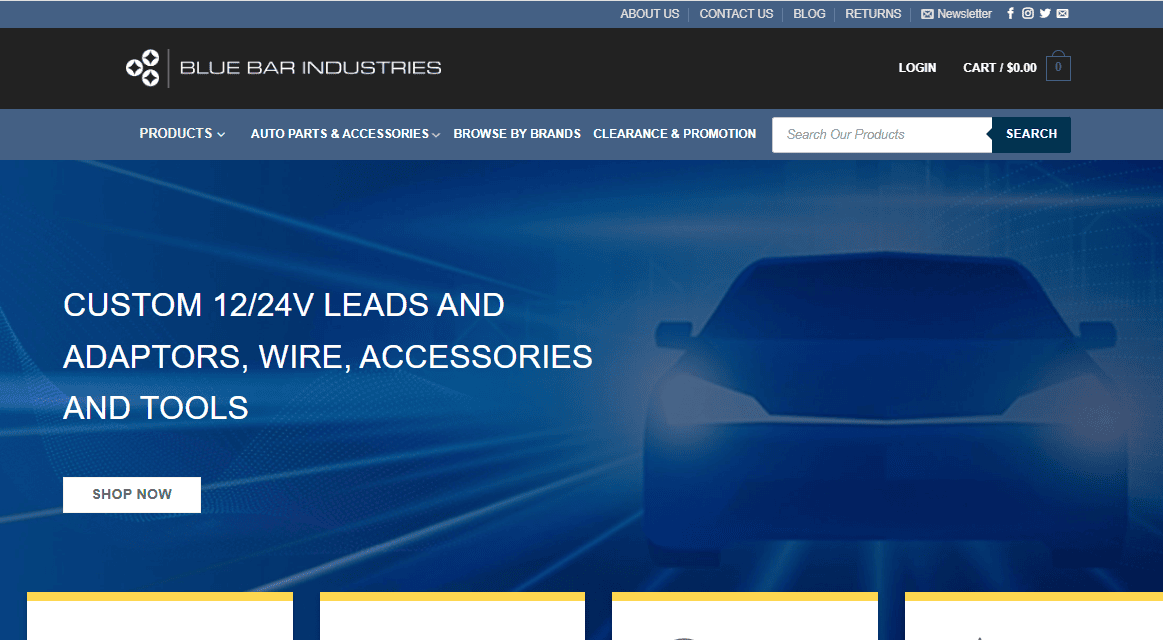
Case Study · Blue Bar Industries · Australia
The situation.
Blue Bar Industries has supplied Australian tradespeople, 4WD enthusiasts, and miners with automotive and industrial products for over 11 years. Their online presence had fallen behind — the range had grown to 4,000+ products across 100+ brands, spanning categories from DC power leads to cable lugs to lithium battery systems. Individual products ranged from $3 accessories to $1,300 battery kits. The old site couldn’t handle the scale or the shopping patterns.
The challenge.
Four things had to work simultaneously:
Findability at 4,000 products. A tradesperson looking for a specific cable lug shouldn’t have to scroll through 15 categories to find it. A 4WD enthusiast browsing lighting shouldn’t be shown mining equipment.
Confidence at high price points. Selling a $1,300 lithium battery online requires product detail, credibility signals, and payment options that match how tradespeople actually pay for expensive gear.
Multiple payment expectations. Australian retail customers expect Afterpay and Zip. B2B customers expect direct card and PayPal. The checkout had to support all four without friction.
A shopping experience that felt easy despite the catalog size. Complexity behind the scenes, simplicity for the shopper.
What we built.
- Full custom WooCommerce store built from scratch on WordPress
- Deep category architecture — 15+ top-level categories with multi-level sub-categories
- Custom mega menu built for 4,000-product navigation
- Advanced filtering by price, category, and brand
- Customer accounts with order history and wishlists
- Multi-payment integration: Stripe, PayPal, Afterpay, Zip
- Content hub (blog + newsletter) integrated with the store for organic traffic and product education
Timeline.
Approximately 2–3 months from brief to launch.
Verified outcomes.
- 4,000+ product catalog live and stable
- Multi-payment checkout live and processing
- Deep category architecture navigable at scale
Note: We publish only outcomes we can verify. If you want performance metrics, order volumes, or conversion improvements, we’re happy to share them once we have client approval on specific numbers — we don’t invent them for marketing.
Three ways to work with us.
Different agencies need different arrangements. We offer three — pick the one that matches how the work actually shows up.
Fixed Project
Best for: A defined WooCommerce build, migration, or specific enhancement with clear scope.
How it works: You send the brief. We scope it, flag the risks, and quote a fixed price with a defined timeline and milestone payments. Change requests are handled with a change order — no surprise invoices.
From $699
Includes: Discovery, scoping, development, staging, QA, launch, and 30 days of post-launch support.
Hour Block
Best for: Agencies with irregular WooCommerce work — a fix here, a plugin extension there, an integration next month.
How it works: You buy a block of managed development capacity. Draw it down as work comes in. Unused hours roll over one month.
From $999/month for 60 hours of managed capacity
Includes: Technical oversight, project coordination, QA, priority response, dedicated PM, monthly usage report.
Dedicated Pod
Best for: Agencies with continuous WooCommerce work — multiple concurrent projects, ongoing maintenance for a client portfolio, or building an ecommerce practice around us.
How it works: Reserved capacity — a developer (or team of developers), a PM, and QA reserved for your work full-time or half-time. You slot them into your workflow like they’re your team.
Quoted on scope
Includes: Named team members, reserved capacity, direct developer access, custom reporting.
Not sure which model fits? Send the brief. We’ll tell you honestly — including if the answer is a single fixed project rather than an ongoing arrangement.
Built by someone whose name is on the code.
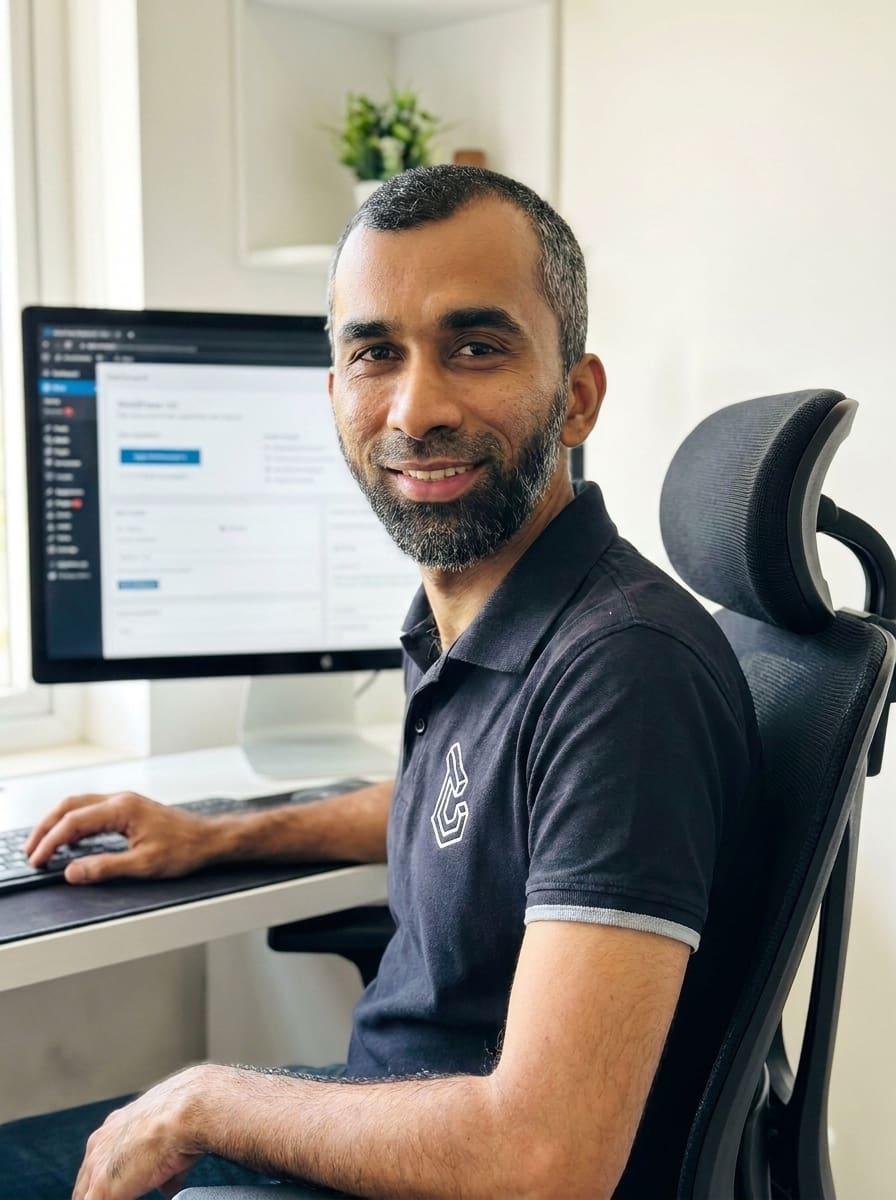
Waqas Nayyer founded ThemeLocation in 2013. He and the team have authored 6 WooCommerce plugins on WordPress.org — currently running on 9,000+ active WooCommerce stores worldwide, including the flagship Remove Add to Cart plugin (4,000+ installs), Custom WooCommerce Checkout Fields Editor (2,000+), Widgets for WooCommerce Products on Elementor (3,000+), and three others.
That matters for one reason: it means our WooCommerce code is running in production, on real stores, solving real problems for real merchants — not just sitting in a private client repo. When we say we know WooCommerce, there’s public code you can inspect.
Most white-label WooCommerce agencies are faceless. When you email waqas@themelocation.com, you’re emailing the founder. When you sign an NDA, it’s with a named business led by a named person — not an anonymous vendor pool.
“If the code has our name on it publicly, we can’t hide behind a support ticket when it breaks. That’s on purpose.”— Waqas Nayyer, Founder
Straight answers to the questions agencies actually ask.
The questions here come from real conversations with agency owners over the past year. If yours isn’t listed, email waqas@themelocation.com — you’ll get a real answer.
Group 1: How we work
Will you ever contact our client directly?
Never. We have a strict no-contact policy. We don’t reach out to your clients directly, we don’t appear in emails, and our name never appears in code, deliverables, or invoices they see. An NDA is signed before any project begins. As far as your client is concerned, your agency built it.
Can you work inside our project management tool?
Yes. We work in Asana, Trello, ClickUp, Basecamp, Slack, and email. We adapt to your workflow. We don’t ask you to learn ours.
Can a developer from your team join a client call under our brand?
Yes, if you want them to. They’ll introduce themselves as part of your team, use an email you provide, and stay within any topics you define. Some agencies want this. Others prefer we stay entirely behind the scenes. Both work.
How quickly do you respond to briefs?
A developer reviews new briefs within one business day. You’ll get scope questions, risk flags, and a first estimate — not a form auto-reply.
Who owns the code?
You do. Once a project closes, the code belongs to your agency and your client. We don’t retain licensing rights or use any part of a client build as a template for other projects.
Group 2: Technical capabilities
Do you handle HPOS-compatible plugin development?
Yes. Every custom plugin we write is HPOS-compatible from day one. We also audit inherited stores for HPOS compatibility before we work on them — a common failure point when agencies inherit legacy WooCommerce codebases.
Can you handle complex WooCommerce builds — subscriptions, multi-vendor marketplaces, B2B, headless?
Yes. WooCommerce Subscriptions, Bookings, and Memberships are three of our most-implemented extensions. We build multi-vendor marketplaces on Dokan and WCFM. We build B2B stores with Wholesale Suite, B2BKing, and custom pricing/approval logic. Headless WooCommerce with Next.js frontends is a growing part of our work.
Which payment gateways do you integrate?
Stripe, PayPal, Authorize.Net, WooCommerce Payments, Square, Amazon Pay, Apple Pay, Google Pay, Afterpay, Zip, Klarna, Sezzle, Affirm — and any gateway with a maintained WooCommerce extension. For gateways without one, we can build custom integrations.
Do you handle platform migrations?
Shopify, Magento, BigCommerce, Wix, Squarespace, and older WooCommerce versions → current WooCommerce. Every migration includes product/customer/order/subscription mapping, redirect preservation, and reconciliation verification before cutover.
What page builders do you work with?
Elementor, Divi, Bricks, Oxygen, Gutenberg, Beaver Builder, WPBakery — plus custom theme development when a builder is the wrong choice. Most WooCommerce stores we build use Elementor or custom themes.
Do you work on other platforms besides WooCommerce?
WordPress and WooCommerce are our specialty — the stack we’ve gone deepest on for 12 years. If your project needs another platform, we’ll tell you honestly (see our platform-fit section above). For anything WordPress or WooCommerce, you’re getting focused expertise, not a team splitting attention across five stacks.
Group 3: Pricing and terms
How does pricing actually work?
Three models: fixed project (from $699, quoted on scope), hour block (from $999/month for 60 hours of managed capacity), or dedicated pod (quoted on scope, reserved capacity). We recommend whichever matches your work pattern.
What’s the first-project guarantee?
We don’t close your first project until you approve it. If revisions don’t get it to your standard, you don’t pay for it. This applies to the first project we do together, so you can test how we work without financial risk.
Do you require long-term contracts?
No. Hour blocks are month-to-month. Fixed projects end when the project ends. Dedicated pods are month-to-month with 30-day notice. If it stops working for you, you stop.
Can we start with a small project to test the fit?
Yes — we recommend it. Send a small, self-contained brief for your first engagement. If it works, we scale up. If it doesn’t, no obligation.