
The comment system is a core part of any WordPress blog or website. A well-designed comment form encourages engagement, builds community, and can even help with SEO. Whether you want to change the form layout, add custom fields, block spam, or replace the entire system, WordPress gives you several ways to do it.
In this tutorial, we’ll cover three approaches: customizing the comment form with code, using recommended plugins, and replacing the default system with third-party comment platforms.
Method 1: Customize With Custom Code
If you’re comfortable with PHP and WordPress theme development, you can directly edit the comment form by modifying your theme’s template files. This gives you full control over the layout, fields, and styling.
Navigate to your theme folder at wp-content/themes/your-theme/ and open the comments.php file in a code editor:
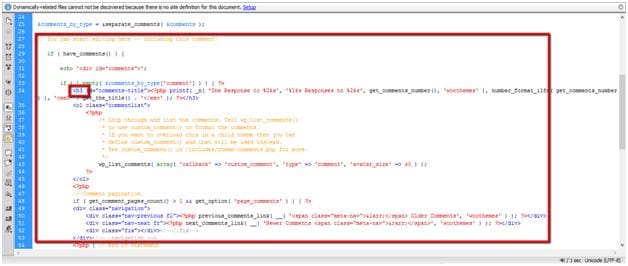
In this file, you can change heading tags, CSS classes, form fields, and the overall structure. If you need to add custom fields beyond the default name, email, and comment, you’ll need PHP knowledge to hook into WordPress’s comment form filters.
For visual styling, edit your theme’s style.css or custom.css file to modify colors, fonts, spacing, and layout of the comment form elements.
Method 2: Use Recommended Plugins
If you’re not comfortable editing PHP code, plugins are the easiest way to customize, enhance, or extend the WordPress comment form. Here are some of the best options:
WP-Ajaxify-Comments
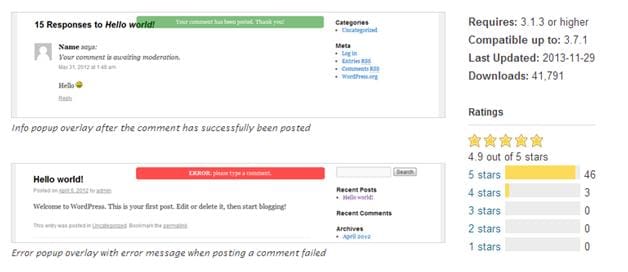
This plugin adds AJAX functionality to the comment form. Comments are submitted, validated, and displayed without reloading the page creating a much smoother experience for your visitors.
Growmap Anti-Spam Plugin (GASP)
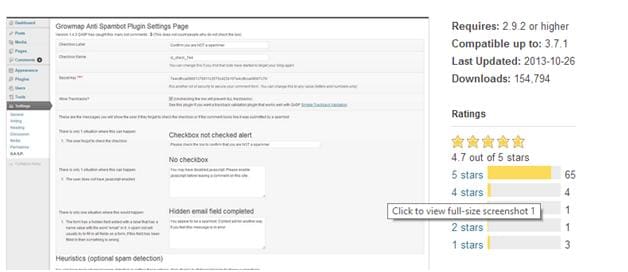
Instead of using complex CAPTCHAs, this plugin adds a simple checkbox asking users to confirm they’re not a spammer. The checkbox is generated by JavaScript, which automated spam bots can’t see — blocking about 99% of automated spam.
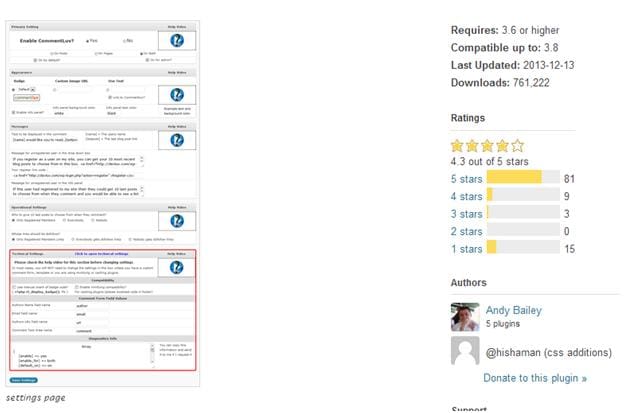
CommentLuv
CommentLuv rewards commenters by automatically posting a link to their latest blog post at the bottom of their comment. This encourages engagement and helps build a community of returning readers.
Method 3: Replace With a Third-Party Comment System
If WordPress’s default comment system doesn’t meet your needs, you can replace it entirely with a more powerful third-party platform. The most popular options include:
Disqus Comment System
Disqus replaces the WordPress comment system entirely with a hosted solution. It offers threaded replies, email notifications, social login, powerful moderation tools, spam filtering, and SEO-friendly indexing. Comments sync between Disqus servers and your WordPress database for backup. It also connects your site to a large global discussion community, which can increase exposure and readership.
Facebook Comments
Facebook’s Comment Box social plugin lets visitors comment using their Facebook, Microsoft, AOL, or Yahoo accounts. Comments are stored on Facebook’s servers and displayed via JavaScript. This can increase social engagement since comments may also appear on the commenter’s Facebook timeline.
Twitter Integration
Several plugins let you integrate Twitter with your WordPress comments. Options include TwitterLink Comments (adds Twitter usernames to comments), WP to Twitter (auto-posts tweets when you publish), and Tweet Blender (displays Twitter widgets with relevant tweets). These can complement or replace traditional comments with social conversation.
Conclusion
Customizing the WordPress comment form can range from a simple CSS tweak to a full system replacement with Disqus or Facebook Comments. For most sites, a combination of a clean theme layout and a good anti-spam plugin is all you need. Choose the approach that matches your technical comfort level and your site’s needs.
Frequently Asked Questions
Q: Which method is best for beginners?
Plugins are the easiest option. They require no coding knowledge and can be installed in minutes. For spam prevention, try Growmap Anti-Spam. For better UX, try WP-Ajaxify-Comments.
Q: Will Disqus affect my SEO?
Disqus comments are loaded via JavaScript, but they use the Disqus API format which is indexable by search engines. Disqus also syncs comments to your WordPress database, so search engines can index them through your site as well.
Q: Can I use multiple comment plugins together?
Yes, in most cases. For example, you can use Growmap Anti-Spam alongside CommentLuv. However, avoid running two full comment system replacements (like Disqus and Facebook Comments) simultaneously.
Q: Will customizing comments.php break my site?
Only if you introduce a PHP syntax error. Always work in a child theme and keep a backup. If something goes wrong, you can restore the original file.